- 1 confirm that you're 18 or older
- 2 click the "Subscribe" button
- 3 go to your inbox, open the email, and confirm your subscription
- 4 if you can't find the email in your "Inbox," check the "Spam" folder.
Stay Connected
Manage your notification preferences and choose where you’d like to receive updates.
How to subscribe to the newsletter:
- 1 in the "Notification settings" block, select the types of messages you'd like to receive
- 2 click "Save Changes" to apply your settings.
PWA (Progressive Web App)
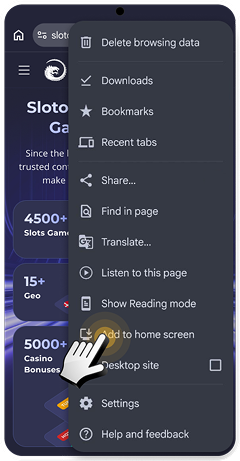
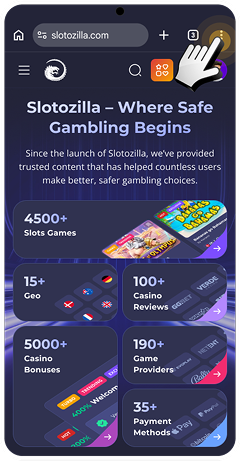
- 1 Open the website in Chrome.
- 2 Tap the menu (⋮ in the top right corner).
- 3 Select "Add to Home screen".
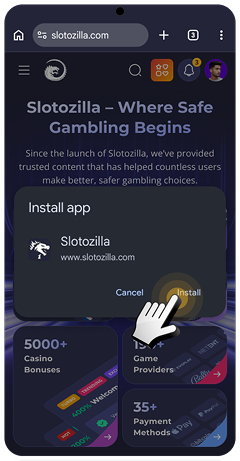
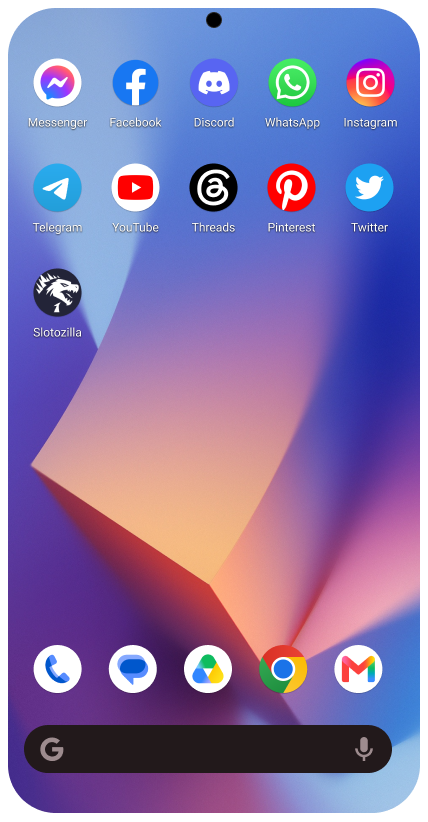
- 4 In the "Install app" pop-up window, confirm the installation by tapping "Install".
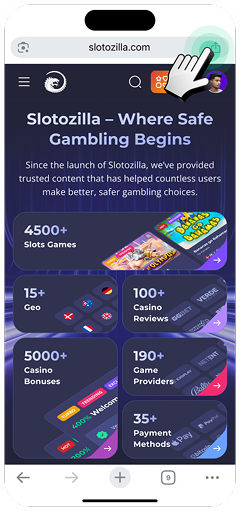
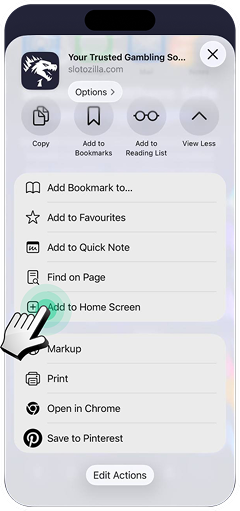
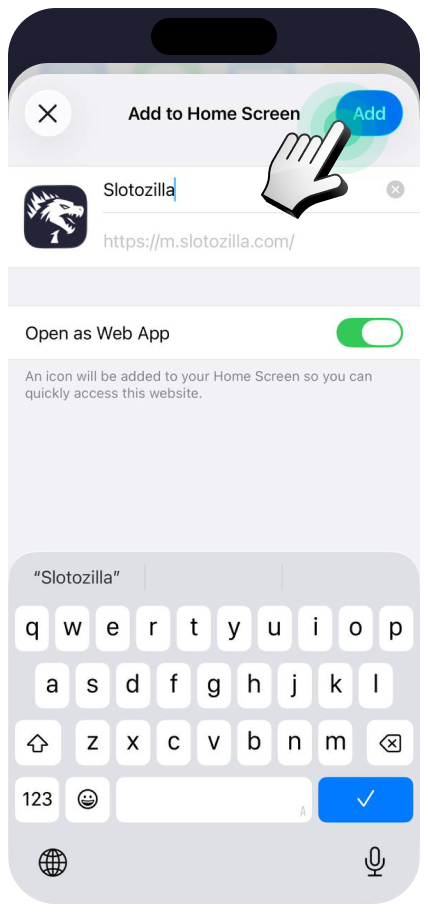
- 1 Open the website in Chrome.
- 2 Tap the "Share" button in the top right corner.
- 3 Select "Add to Home Screen".
- 4 Enable "Open as Web App" (if available) and tap "Add".
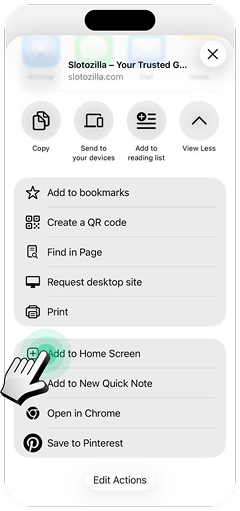
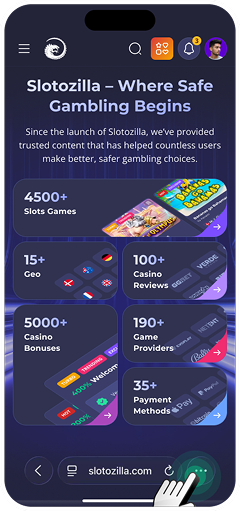
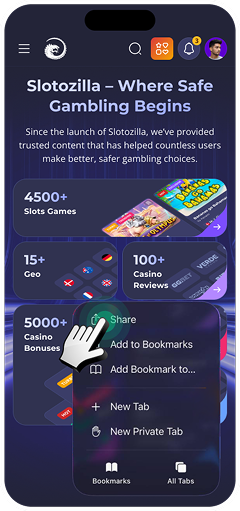
- 1 Open the website in Safari.
- 2 Tap the "…" icon in the right bottom corner.
- 3 Tap the "Share" button.
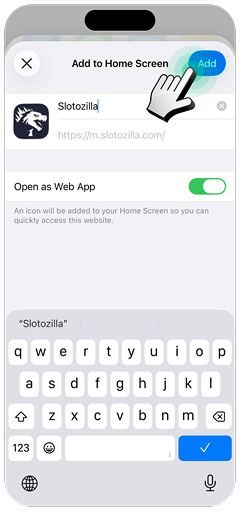
- 4 Select "Add to Home Screen".
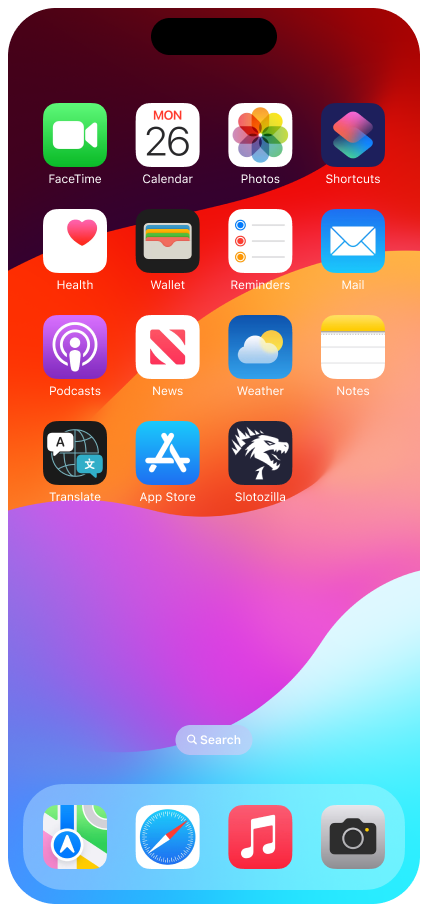
- 5 Enable "Open as Web App" (if available) and tap "Add".
How to subscribe to our Telegram information channels:
- 1 Download and install the Telegram app on your phone for free from the App Store or Google Play.
- 2 Once installed, open the app and create an account.
- 3 Use the search bar to find the channels (slotozilla_au and slotozilla_de).
- 4 Tap the "Join" button.
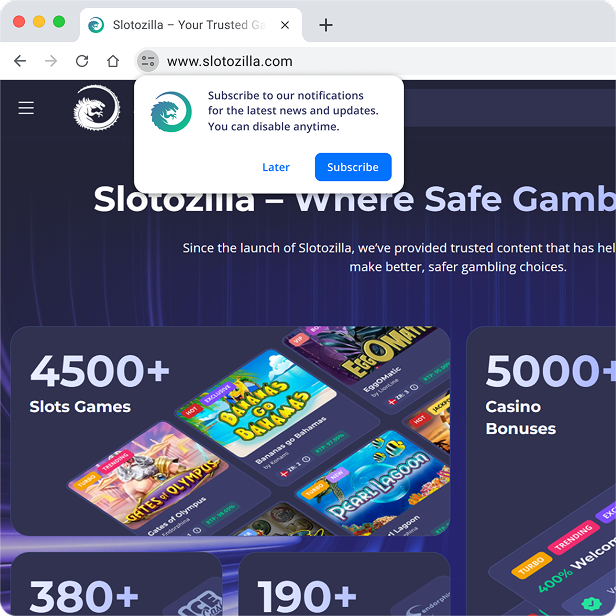
To receive push notifications:
- 1 Sign up and log in to your account.
- 2 Click the subscribe button and allow the site to send notifications in your browser window.
- 3 Once subscribed, you'll receive instant alerts about important updates, new bonuses, the latest news, and other useful offers, even when the site isn't open.
- 4 You can turn off push notifications at any time in your browser or device settings.
- 5 Disable the AdBlock extension in your browser.
- 6 From now on, keep an eye out for new notifications on your device.
- 7 Push notifications are available in your device's notification center (Windows, macOS, Android, iOS).